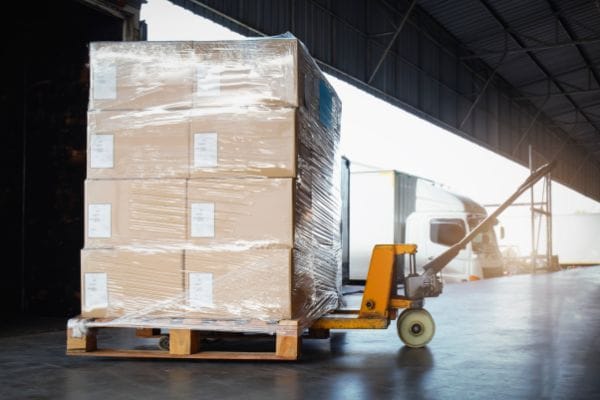
Discover our logistics processes, which are based on CHG's many years of expertise, carefully selected partners and a strong, global network. We attach great importance to professional packaging and transport in order to move your IT assets to us reliably, safely and efficiently. For smooth cooperation when returning your devices, you will find detailed information on packaging and provision of devices in the following chapter. So you can be sure that your devices are optimally protected, will be picked up on time and arrive safely at our doorstep.
CHG-MERIDIAN organizes the transport
How returns work
Procedure after submitting a collection request to CHG-MERIDIAN:
· After receipt of your collection request, CHG-MERIDIAN will check the data submitted and, if necessary, ask questions within about two working days.
· CHG-MERIDIAN's logistics department then commissions a contract carrier to pick up the equipment.
· The carrier will contact you within approximately seven working days to arrange a pick-up date and coordinate the pick-up details with you.
· Receive the carrier on the agreed pick-up day, accompany the pick-up and sign the pick-up documents provided by the forwarder after careful checking.
Important: The carrier is not authorized to receive or sign any other documents.
· A suitable parking space must be provided in the immediate vicinity of the exit for loading the truck.
Depending on the data deletion agreement, the following procedures apply:
· eraSURE® or no data erasure agreed & devices have already been packaged by you:
The freight forwarder only checks the number of parcels or pallets on site and notes them. There is no check of the contents or the condition of the device.
· eraSURE® agreed or no data erasure ordered & devices are packed on site by the carrier:
The freight forwarder records the number of devices, packs them on site in their own special packaging material and documents both the number and type of equipment as well as any recognizable external damage on the waybill.
· eraSURE®+ agrees:
The freight forwarder records the number of devices, additionally scans the serial numbers of the devices intended for data deletion (as far as possible) and packs them on site with appropriate packaging material. The number, type and visible damage are documented on the bill of lading. In addition, a separate list of scanned serial numbers is created.
After pickup:
· The devices are delivered within approximately ten working days either (with eraSURE® or without data deletion) via a HUB system or (with eraSURE®+) directly to the CHG-MERIDIAN Technology and Service Center or to a certified refurbishment partner.
· There is a check for completeness and recording of the devices.
· They are then subjected to an optical and technical function test, processed, deleted if necessary in compliance with data protection regulations and prepared for remarketing.
How to prepare your devices
Provision of the equipment for collection by a freight forwarder
Please ensure that the equipment intended for collection is provided under the following conditions:
Central, barrier-free pick-up location:
Deploy the devices and accessories in a central, easily accessible location. If possible, this should be located on the ground floor, in the immediate vicinity of the exit and accessible with a pallet truck or pallet. If possible, avoid stairs and elevators.
Unpackaged provision in case of planned data deletion:
If data deletion using eraSURE®+ is planned, the devices must be provided unpackaged. The barcode on the respective device must be clearly visible to enable easy scanning at pickup.
Sorting and labeling:
Please sort the devices and accessories by device classes and clearly mark them as ready for collection.
Accessories Provided:
For information on the provision of accessories, please refer to the return policy.
Self-delivery by the lessee
What you should consider when making your own delivery
General information on the return of equipment in the event of transport organised by the customer
If you organise and order the transport of the equipment yourself, please note the following information:
To prepare for your self-delivery, CHG-MERIDIAN will provide you with a transport order number (TPO) or a collection number.
Please clearly mark all packages with this TPO or Collection number.
You will also be informed separately about the delivery address.
The valid return policy can be found on our website at:
chg-meridian.com -> search function -> "Return Policy"
Additional information for delivery:
Forwarding deliveries (pallet goods and/or truck deliveries) to Groß-Gerau must be announced by e-mail at least 48 hours before delivery:
goodsin@chg-meridian.com
A time slot booking is not required.
Unannounced and/or unmarked shipments may be rejected.
Parcel shipments can be delivered during the specified opening hours without prior notice.
All pallets and packages must be labeled with the CHG transport order number or collection number provided.
CHG-MERIDIAN AG
Wasserweg 2
64521 Groß-Gerau
Germany
Opening hours:
Mon-Thu: 08:00-16:00
Fri: 08:00-14:00
Contact: goodsin@chg-meridian.com
incominggoods@chg-meridian.com
Deposit permits for parcel shipments are not possible. All shipments must be received in person by CHG-MERIDIAN employees.
Guidance on safe packaging
General packaging procedures:
- These guidelines have been created to ensure maximum protection against damage in transit.
- All pallets must be labeled with the appropriate transportation assignment number(s).
- All pallets must be wrapped in stretch film.
Procedures for unpackaged goods:
Desktop PCs
- Should be packed on pallets
- Corrugated cardboard should be used between layers
- Depending on size, one pallet can hold:
• approx. 25 large tower servers or workstations
• or approx. 30 medium-sized towers or desktop PCs
• or approx. 50 small form factor desktop PCs
Packaging material:
1. Pallet
2. Cardboard sheets
3. Stretch film
Laptops
- Should be placed on pallets in cardboard boxes
- A pallet can fit
12 boxes / a total
of 120 laptops
Packaging material:
1. Pallet
2. Cardboard box
3. Insert
4. Stretch film
5. ‘Hazardous goods’ label if not printed on box
TFT monitors
- Should be packed in TFT boxes and protected by a
foam sleeve - Depending on size, one box can hold
• approx. 30 TFT monitors measuring 17–19" or
• approx. 25 TFT monitors measuring 22–24"
Packaging material:
1. Pallet
2. TFT box with lid
3. Cardboard sheet
4. Foam sleeves
5. Stretch film
MFPs on wheels:
- Be particularly careful with wheels
- Release the brakes and raise the feet
- The machine must have edge protectors, be wrapped in
film, and be held in place on the truck by load-securing
straps - Printers must be transported in an upright position to
prevent toner and/or liquids from leaking
Packaging material:
1. Corner protectors
2. Stretch film
3. Straps
Desktop printers
- Must be packed on pallets
- A cardboard sheet should be inserted as a cushion
between the stacked machines. If sensitive
machines are being stacked, foam blocks should
also be used to create a level surface
Packaging material:
1. Pallet
2. Cardboard sheet
3. Foam blocks (optional)
4. Stretch film
Smartphones and tablets
- Should generally be packed using the packing
material provided specifically for this equipment - The packing material is suitable for all
conventional sizes - Tablets: boxes must be transported the right way up
Packaging material:
1. Pallet
2. Suitable box
3. Suitable foam insert(s)
4. ‘Hazardous goods’ label if not printed on box
>85" monitors
- Place directly on pallet if too large for cardboard box
- Transport upright and cover in bubble wrap
- Place 2 pallets front and back and fix in place using straps
Packaging material:
1. Three pallets
2. Bubble wrap
3. Cardboard sheet (optional)
4. Straps
Large-format displays/TVs
- Place on pallet
- Choose the right box by size:
small: 1320 x 160 x 750mm,
max. load 50kg / max. 55"
medium: 1750 x 160 x 1050mm,
max. load 50kg / 56–75"l
large: 2000 x 160 x 1200mm,
max. load 50–60kg / from 76" - Lay corrugated cardboard cushioning in the bottom of the box before placing the device inside
- Transport upright
Packaging material:
1. Pallet
2. Suitable box
3. Corrugated cardboard cushioning
4. Straps (optional)
5. Tape
6. Stretch film
Servers, storage/network devices
- Place on pallet
- Must be packed so as to prevent this equipment from being damaged in any way whatsoever
- It is important that all accessories (rails, cables) are included in the delivery
Packaging material:
1. Three pallets
2. Cardboard sheet
3. Non-slip layers, e.g. TFT covers or stretch film
4. Stretch film


Downloads
Other end-of-lease topics
 Device return at a glance
Efficient, secure, sustainable: Find out how easy it is to return your devices to CHG-MERIDIAN.
Device return at a glance
Efficient, secure, sustainable: Find out how easy it is to return your devices to CHG-MERIDIAN.
 Data deletion
Our technology centers in Groß-Gerau and Skien offer you specially developed automated data deletion procedures.
Data deletion
Our technology centers in Groß-Gerau and Skien offer you specially developed automated data deletion procedures.
 Device Condition & Rating
Maximum transparency and control: Get all the important information about the device condition and the reuse of your returns.
Device Condition & Rating
Maximum transparency and control: Get all the important information about the device condition and the reuse of your returns.
 Locked Devices
Ensure the smooth return and remarketing of your devices by removing locks.
Locked Devices
Ensure the smooth return and remarketing of your devices by removing locks.
